
Download Capture Editor – Photo Editing App, Fashion & Style Tool, Android Utility
Overview
Capture Editor is a versatile photo editing application designed for Android users seeking to enhance and transform their images with intuitive tools. Developed by Maum IT, a company based in Bangladesh, the app is categorized under Lifestyle, specifically within the Fashion & Style niche. It is offered as a free download, making it accessible to a broad audience interested in mobile photo editing.
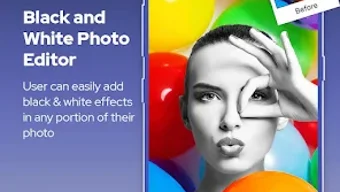
The software enables users to adjust brightness, contrast, and saturation, apply filters and visual effects, and manipulate image composition through cropping, rotating, and resizing. These capabilities support a range of real-world use cases, including improving selfies, preparing social media content, and creating visually engaging visuals for personal or creative projects. The app is designed with a user-friendly interface, aiming to serve both novice users and those with more experience in image editing.
Its regular updates suggest ongoing development and a commitment to improving functionality and user experience. While the developer did not provide additional details about system requirements or performance metrics, the app’s availability on the Google Play Store indicates compatibility with a wide range of Android devices. The target audience includes individuals passionate about photography, social media content creation, and personal image enhancement.
Key Features & Capabilities
- Brightness, Contrast, and Saturation Controls: Allow users to fine-tune image exposure and color intensity for more vibrant or balanced visuals.
- Filter and Effect Library: Offers a selection of preset filters and visual effects to quickly transform the mood and style of photos.
- Image Manipulation Tools: Includes cropping, rotation, and resizing functions to adjust composition and fit specific display formats.
- Overlay and Design Elements: Enables the addition of decorative layers or graphic elements to enhance visual appeal.
- Intuitive Interface: Designed for ease of navigation, reducing the learning curve for new users while supporting efficient workflows.
These features are particularly useful for users preparing images for social media platforms, creating digital portfolios, or simply refining personal photos. For example, a user might apply a warm filter to a portrait and then crop it to a square format for Instagram. Another might adjust the contrast of a fashion shot to highlight texture and detail.
The combination of basic adjustments and creative tools allows for both subtle refinements and bold transformations. The app’s focus on accessibility ensures that users can achieve professional-looking results without needing advanced technical knowledge. The developer did not specify the full extent of the feature set or the number of available filters, but the described tools suggest a comprehensive editing experience tailored to lifestyle and creative users.
User Interface, Workflow & Performance
The user interface of Capture Editor is structured around simplicity and direct access to core editing functions. Navigation appears to be centered on a streamlined layout, likely featuring a toolbar with icon-based controls for brightness, filters, and image adjustments. The workflow is designed to guide users through editing steps in a logical sequence, minimizing unnecessary clicks.
Users can apply changes in real time, allowing immediate visual feedback. While the developer did not specify resource usage details, general patterns for similar Android applications suggest moderate CPU and RAM consumption during active editing. Performance observations are based on general software behavior patterns, indicating that the app should run smoothly on mid-to-high-end Android devices.
Stability is supported by regular updates, which may include bug fixes and optimization improvements. The app does not appear to require constant internet connectivity, suggesting offline functionality for core editing tasks. However, exact performance data, such as loading times or memory footprint, were not provided.
Users may experience variations in responsiveness depending on device hardware and background processes.
Compatibility & System Requirements
Capture Editor is available for Android devices, as indicated by its presence on the Google Play Store. The specific version number and minimum operating system requirements were not listed. Installation size information is also unavailable, though typical photo editing apps of this nature range from 20 MB to 100 MB.
The developer did not specify hardware requirements such as RAM or processor type. Compatibility information was partially provided, with the app being accessible on Android platforms. Users should ensure their device meets standard Android system requirements for app installation.
The developer did not provide additional details about supported screen sizes, resolution compatibility, or device-specific optimizations. For users seeking precise compatibility details, checking the Google Play Store listing is recommended. The app’s free status and availability on a major distribution platform suggest broad accessibility across Android devices, though exact performance may vary based on individual hardware configurations.
Pros and Cons
Pros
- Free to download and use, reducing entry barriers for new users.
- Intuitive interface designed for both beginners and intermediate users.
- Offers a range of editing tools including filters, adjustments, and image manipulation.
- Regular updates suggest active development and ongoing improvements.
- Available on the Google Play Store, ensuring secure and verified distribution.
Cons
- Exact system requirements and performance metrics were not specified.
- Limited information about advanced features or customization options.
- May require a modern Android device for optimal performance.
- No details provided on cloud sync, export formats, or file compatibility.
- Developer background is limited to company name and country, with no further organizational details.
FAQ Section
Is Capture Editor available for iOS devices?
As of now, the app is only available on Android platforms. There is no official release for iOS.
Does Capture Editor require an internet connection to function?
The app appears to support offline editing, as core features do not rely on continuous connectivity. However, updates and additional content may require internet access.
Can I use Capture Editor without creating an account?
Yes, the app can be used without registration or account creation, which enhances privacy and immediate usability.
Are there in-app purchases or ads in Capture Editor?
The app is listed as free, but the developer did not specify whether ads or in-app purchases are present. Users should review the Google Play Store listing for the most accurate information.
How often are updates released for Capture Editor?
The app is described as being regularly updated, indicating ongoing maintenance and feature improvements. Specific update frequency was not provided.
Final Thoughts + CTA
Capture Editor stands out as a capable and accessible photo editing tool for Android users who want to enhance their images with professional-grade features. Its intuitive design and diverse editing capabilities make it well-suited for individuals involved in fashion, social media, or personal photography. While detailed technical specifications are limited, the app’s free availability, consistent updates, and user-friendly interface contribute to a reliable experience.
It is particularly beneficial for those seeking a lightweight, no-frills solution for quick edits and creative expression. For users who value simplicity and functionality without subscription costs, Capture Editor offers strong value. The app bridges the gap between basic mobile editing and more advanced desktop tools, bringing powerful features within reach of everyday users.
Download Capture Editor now.







